






Finding support just got easier! DVC 360 puts all your Support options right inside the app — no more hunting through the Community Directory. Whether you need help with signing in, managing your account, or troubleshooting, everything is now in one convenient place.
What’s New
Starting today, support is available directly in your app via DVC 360. Here’s what you need to know when you log in:
- Select the menu icon in the top right corner.
- Select the Contact Support
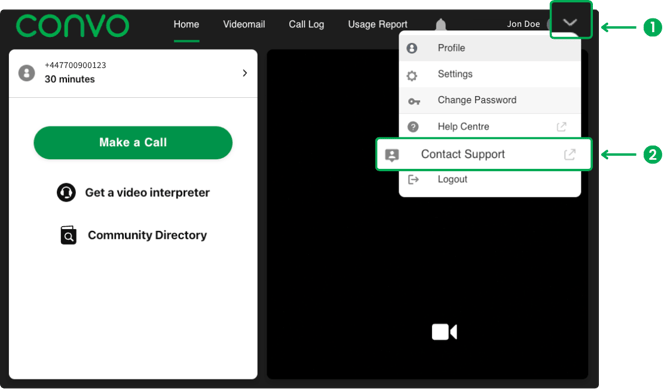
3. Your choice of support:
Select the chat icon in the bottom right corner and connect however you like:
-
- Video for face-to-face assistance
- Chat for real-time messaging
- Message to leave a note and get a reply later.
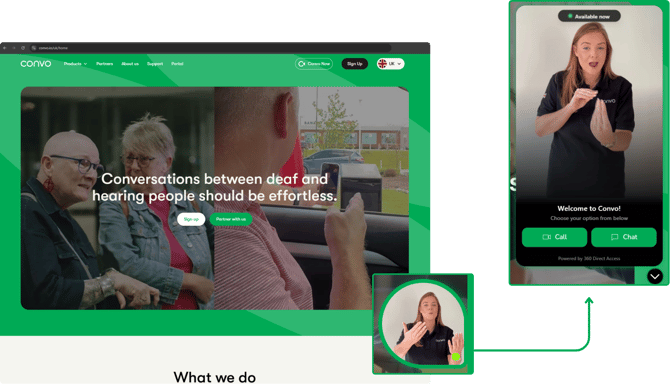
Watch a quick demo of DVC 360 in action
Why You’ll Love It
- Fast access to support, right where you need it
- Multiple ways to connect — video, chat, or message
- Help Center/Centre self-service for common questions
- One clear path — no more searching, no confusion
Help Center/Centre — Your Self-Service Hub
The Help Center/Centre is your go-to for quick answers before reaching live support. You’ll find tips on:
- Signing in
- Account management
- Troubleshooting
It’s fast, reliable, and helps you solve issues without waiting.
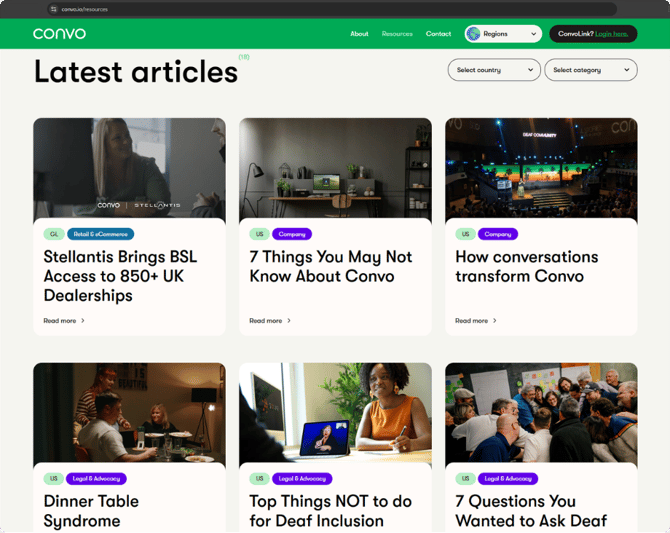
Browse top articles.
We’d Love Your Feedback
Your experience helps us make support even better. After using DVC 360 or checking the Help Center/Centre, tell us what you think — it only takes a minute!
- Was it easy to find what you needed?
- Did you like the way you could connect via video, chat, or message?
- Any ideas to make it even better?
We read every comment and use your feedback to improve support for everyone.