






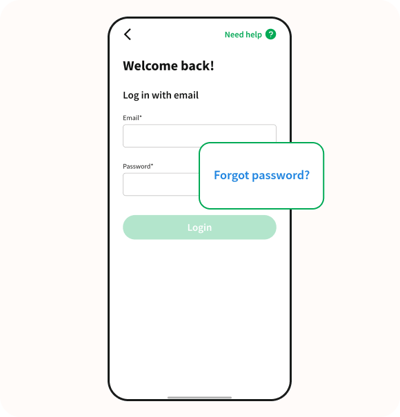
Step 1
Open the app and click or tap on the blue text that says "Forgot password?"
Step 2
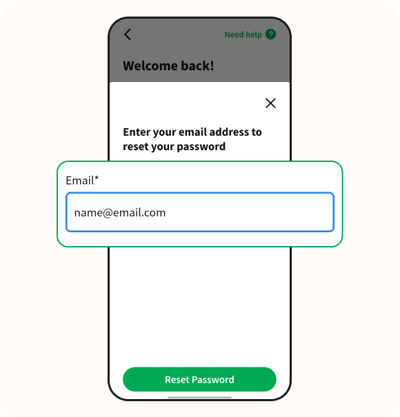
Enter your email address. Make sure it's the one you used to sign up. It should look something like "name@email.com".
Step 3
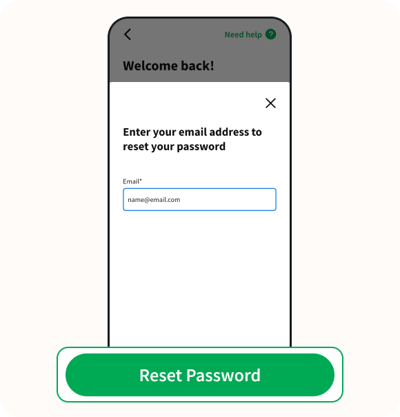
Click on the green button that says "Reset password".
Step 4
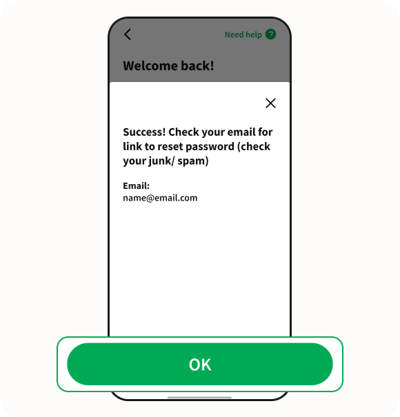
Success! Check your email for a link to reset password. Click on the green button that says "OK".
Step 5
Check your email for a link to reset your password. If you don't see it in your inbox, take a look in your junk or spam folder.
Step 6
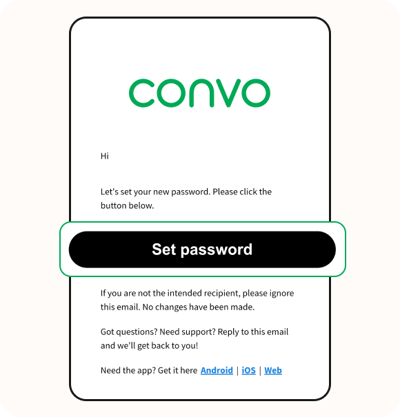
Once you find the email, click on the black button that says "Set password" and follow the instructions to create a new one. Make sure your new password has at least 8 letters or numbers and includes 1 special character.
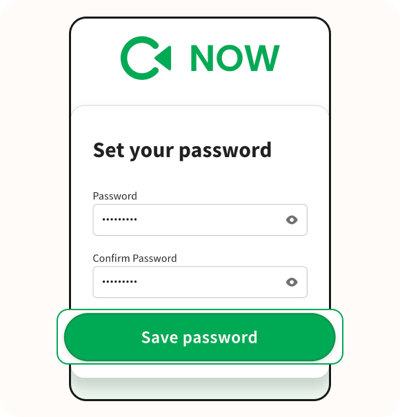
Step 7
Remember to keep your new password safe. If you are using a computer, you can click on "Return to login" or go to uk.convo.io to log into your Convo account using your new password, and you'll be able to use the Convo Now web app.
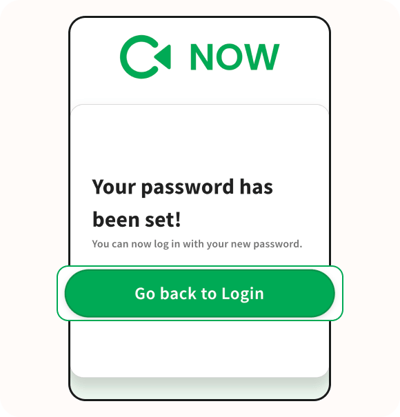
If you are using your mobile or tablet, close the web browser on your device and open the "Convo Now" app, and then log into your Convo account using your new password. You'll be able to use the Convo Now app.
If you have any questions or run into any problems during the login process, feel free to contact our Consumer Support.
We're here to help!