






Set up the notification for incoming calls on your Android phone and tablet:
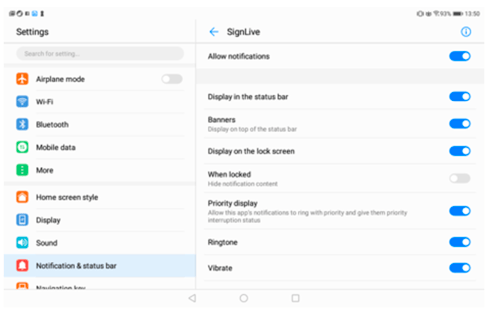
1. Go to settings
2. Select Notification & status bar on the left side of panel
3. Select Notification management and tap the Convo Now app.
4. Tick the following boxes:
- Allow Notification
- Display in the status bar
- Banners
- Display on the lock screen
- Priority display
- Ringtone
- Vibrate